Is Your Stock Picking Actually Working? Meet Portfolio Performance
Most portfolio trackers tell you what you have. TrackMyStack's Portfolio Performance page tells you whether your investing is actually beating an index fund — broken down by asset, by year, and by portfolio.
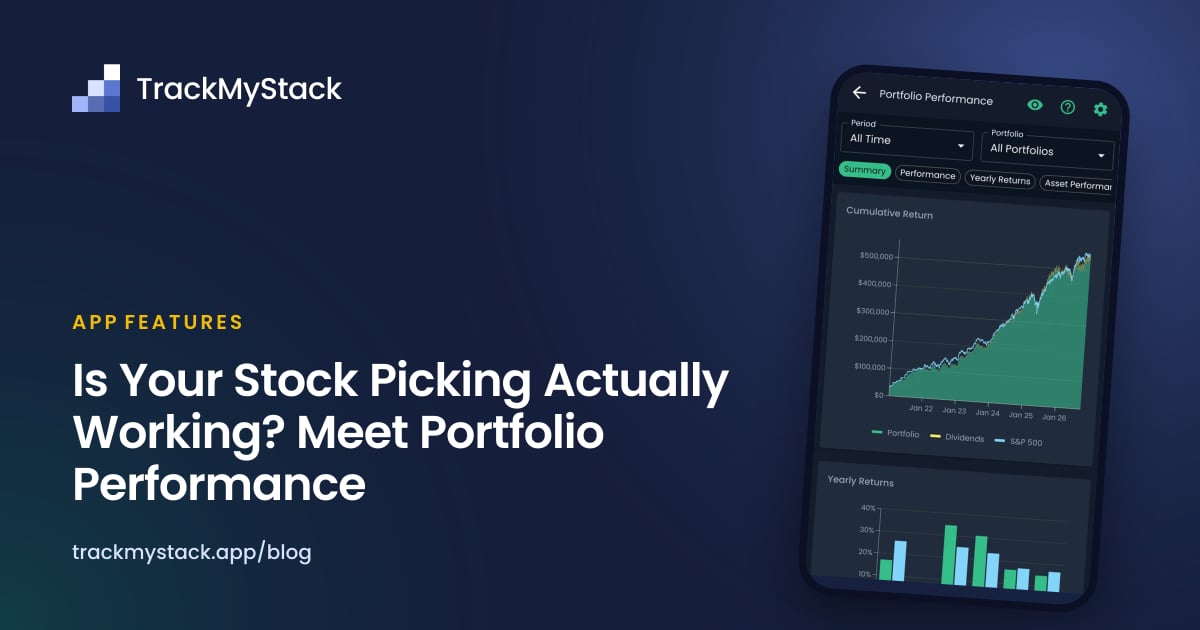
Every investor eventually has to answer the same uncomfortable question: am I actually any good at this, or could I have just bought the S&P 500 and gone to the beach?
Most portfolio trackers refuse to answer. They show you what you own, what it’s worth today, and a green or red number that depends entirely on whether you opened the app before or after lunch. Whether your stock picking — the part you actually want credit for — is working? Silence.
The Portfolio Performance page exists to break that silence. It takes every purchase, every sale, every dividend, and every deposit you’ve ever made, and tells you what you’d have ended up with if you’d just bought an index fund instead with the same money on the same dates. Then it shows you, asset by asset, who beat the index, who lost to it, and who you should probably stop talking about at dinner parties.
The problem with looking at “total gain”
Most apps show you a single number — your total unrealized gain — and call it a day. That number is almost useless on its own, for a few reasons:
- It mixes money you added with money your assets earned. If you put in £50k and your account is worth £60k, the £10k could be brilliant investing or it could be six months of payroll. Big difference.
- It ignores time. Making 20% over 10 years is not the same as making 20% over 10 months, but most apps display them identically.
- It doesn’t compare to anything. Your portfolio is up 8% — fine, but the S&P 500 is up 15%. You’ve technically lost money by being clever.
Portfolio Performance fixes all three.
What you actually see
When you open Portfolio Performance, the first thing you get is a clean breakdown of where every dollar in your portfolio came from. No mixing.
- Starting Value — what your portfolio was worth at the start of the period.
- Net Capital Flow — money you actively added during the period (purchases minus sales, dividends excluded).
- Realized P&L — profit or loss you’ve already locked in by selling.
- Unrealized P&L — paper gains and losses on positions you still hold.
- Dividend Income — cash your holdings paid you.
- Total Return — the sum of the three above. This is the number that’s actually about your investing, not your saving.
- End Value — what it’s all worth now.
The point of separating these is so the next time someone tells you their portfolio is “up massively this year,” you can ask them whether that’s growth or just direct deposit.
The annualized return that takes timing into account (XIRR)
A 30% return is impressive. A 30% return earned over six years, with most of the money added in the last twelve months, is less impressive. Simple percentage math can’t tell the difference.
Portfolio Performance uses XIRR — the extended internal rate of return — which is the same calculation pension funds and serious finance people use. It accounts for the exact date and size of every cash flow in and out of your portfolio and gives you a single annualized percentage that means something.
It also computes XIRR for the benchmark scenario, where the same money was hypothetically invested in your chosen index on the same dates. The difference between the two is, bluntly, your verdict.
Pick your own benchmark
The default question — “did I beat the S&P 500?” — is fair if you live in the US and buy US stocks. It’s a bit silly if you’re a UK investor with a FTSE 100 portfolio and a healthy chunk of gold.
You can pick from 15 indices, including:
- S&P 500 and S&P 500 Total Return (with dividends)
- NASDAQ and NASDAQ Total Return
- Dow Jones and Dow Jones Total Return
- MSCI All World — the global one
- FTSE 100 and FTSE 100 Total Return (GBP)
- DAX (EUR), CAC 40 (EUR), Nikkei 225 (JPY), Nifty 50 (INR)
- Bitcoin — for when you want to see exactly how much money you cost yourself by being responsible
- Gold
Set it once in the settings dialog and the whole page recalculates against that benchmark.
A note on Total Return indices: if you’re comparing yourself to “the S&P 500,” you almost always want S&P 500 Total Return, because it includes reinvested dividends. The plain S&P 500 looks worse than it really is, and comparing your dividend-reinvesting portfolio against the price-only index is unfair to the index.
Breakdown by year
Set the period to “All Time” with all portfolios selected and you get a yearly returns chart — your portfolio’s annualized return next to the index’s, year by year. This is where the truth lives.
Most people who think they’re great investors had one good year and have been coasting on the memory ever since. The yearly chart will tell you whether you actually beat the index in 2020, 2022, and 2024, or whether one excellent call on a single stock is doing all the heavy lifting in your self-image.
You can also pick any individual year as the period and see the full breakdown — capital flows, P&L, dividends, XIRR — for just that year.
Breakdown by portfolio
If you keep separate portfolios — retirement, taxable, crypto, “speculative bets I will never speak of in public” — you can switch between them and see the performance of each in isolation.
This is genuinely useful, because the right benchmark for your retirement account is probably not the right benchmark for your speculative crypto pile, and the right verdict for one might be very different from the other. Premium investors who keep their long-term ETFs separate from their punts often discover that one of those two activities is doing all the work.
Asset-by-asset: who made money, who didn’t, who beat the index
Below the headline numbers, every asset you’ve ever held in the selected period gets its own row in a sortable table. For each asset you see:
- Total purchases and sales
- Net capital flow into the position
- Realized P&L, unrealized P&L, and dividends — split out
- Total P&L for the asset
- Index P&L — what the same money would have done in the chosen index
- Difference vs Index — the only number that really matters
Sort by total P&L to find your biggest winners and losers. Sort by difference vs index to find the assets that actually beat the benchmark, not just the ones that went up.
Above the table, the Asset Performance Chart shows the same comparison visually. You can flip between four sort modes:
- Best first — your top winners by raw P&L.
- Worst first — your worst losers, for character building.
- Best vs Index — assets that beat the benchmark by the largest margin. This is the list you screenshot.
- Worst vs Index — assets that lost to the benchmark by the largest margin. This is the list you don’t screenshot.
There’s also a P&L composition chart that splits each asset’s total return into realized, unrealized, and dividends, so you can see whether a holding is actually generating cash or just sitting there appreciating on paper.
Why all of this is useful
The whole feature exists to answer a few questions clearly, with numbers, not vibes:
- Should I keep picking stocks at all? If your XIRR consistently trails an index fund’s XIRR over multiple years, the honest answer might be “no, and that’s fine.”
- Which positions are pulling their weight? The vs-index column tells you which holdings are genuinely earning their place in the portfolio versus which ones you’re keeping out of nostalgia.
- Is my dividend strategy actually competitive? A high-dividend portfolio can look great until you realize a total-return index has quietly out-earned it. The dividend split plus the total return XIRR makes that visible.
- Did this year’s gain come from the market or from me? When the index returned 22% and your portfolio returned 15%, the market did the work and you got in its way. Worth knowing before you take a victory lap.
- Is one portfolio dragging down the others? Per-portfolio breakdowns make it obvious when your “long-term” account is fine and your “active trading” account is the problem.
A few things to keep in mind
- Only assets with full transaction history (purchases, sales, and live prices) are included in the comparison. Manually-valued assets and net-worth-only entries are excluded — there’s no way to fairly compare them to an index.
- If an asset is older than the price history available for the chosen index, you’ll see a warning. The comparison can only be as honest as the data behind it.
- A drop in your portfolio value is not the same as a negative return. If you withdrew £20k and your account is down £20k, your return might be 0%. The page knows this; it’s separating capital flow from performance everywhere.
Where to find it
Open the Analysis tab and tap Portfolio Performance. Set your benchmark in the settings dialog (top-right) once, and you’re set. You can open the page on the free tier; the full comparison details are part of TrackMyStack Premium, alongside live prices.
The comforting thing about the answer it gives you is that it’s the same answer either way. If you’re beating the index, now you know, with numbers. If you’re not, now you know that too — and “buy an index fund and go to the beach” remains an extremely respectable financial strategy.
FAQ
What is XIRR and why does TrackMyStack use it?
XIRR (Extended Internal Rate of Return) is the annualized return that accounts for the exact dates and sizes of every cash flow into and out of your portfolio. It’s the standard way serious portfolio analysis is done, because simple percentage gains can’t fairly compare a position you held for 10 years to one you held for 6 months. Both your portfolio and the benchmark are evaluated using the same XIRR calculation on matching cash flow dates.
How does the index comparison actually work?
Every time you bought an asset, the app simulates buying the same dollar amount of your chosen index on that same date. Every time you sold, it simulates selling the equivalent proportion of those simulated index shares. At the end of the period, it compares what you actually have to what you would have had. It’s the closest you can get to a fair “what if I’d just bought the index?” answer.
Can I change the benchmark index?
Yes. Open the settings dialog from the Portfolio Performance page (the cog icon, top-right) and pick from 15 indices including S&P 500, S&P 500 Total Return, NASDAQ, MSCI All World, FTSE 100, DAX, Nifty 50, Nikkei 225, Bitcoin, and Gold. The setting is global to the page and applies to all charts and tables.
Why is my portfolio “up” but my return is small or negative?
Because adding money to a portfolio increases its value without being a return. If you started the year at £100k, added £30k of fresh cash, and ended the year at £125k, your portfolio is up £25k — but your investments actually lost £5k. The page separates Net Capital Flow from Total Return so this stops being confusing.
Why aren’t all my assets showing in the comparison?
The comparison only includes assets with proper transaction history — buys, sells, and live or historical prices. Manually-valued holdings (your house, your watch collection, a private business) can’t be fairly compared to a stock index, so they’re excluded from this page. They still count toward your net worth elsewhere in the app. Also note that if you haven’t set a purchase price for a transaction, the app will make an estimate. So, if you want precise numbers, you will need to enter an average purchase/sell price for each of your transactions.
Is the Portfolio Performance page free?
You can open it on the free tier, but the full comparison details are part of TrackMyStack Premium. The free tier still gives you net worth tracking, allocations, and end-of-day pricing.