The Best Net Worth Tracker Without Linking Bank Accounts (2026)
The best net worth trackers that don't require linking your bank or brokerage accounts. Honest 2026 comparison of privacy-first options, with TrackMyStack as the top pick.
The Plaid Tax Nobody Talks About
Almost every modern net worth app brags about “connecting all your accounts in one place.” What they don’t put on the landing page is that connection runs through an aggregator — Plaid, MX, Finicity, Yodlee, Tink — and that aggregator charges the app per linked account, per month. The app then bakes that cost into your subscription. So when you “link your bank for free,” you are actually funding the most expensive part of the product. Privacy-first by accident, you are not.
There is another route. You add your assets yourself, the app fetches market prices automatically, and your bank credentials never leave your bank. No Plaid handshake, no “we couldn’t refresh this connection — please re-authenticate,” no third party sitting between you and your accounts. Just a number that updates every day.
This guide covers the legitimate options for tracking your net worth without linking bank or brokerage accounts in 2026 — what each one does well, what it costs, and who it’s actually for.
Why Skip Account Linking At All?
A few honest reasons people deliberately avoid linking:
- Credentials and access risk. Depending on your bank, aggregators either store your bank login or hold an access token that lets them read your accounts. The risk surface is real, even when the aggregator is reputable.
- Connections break. Anyone who has used Plaid for more than six months has re-authenticated the same account at least three times. Multiply that by ten accounts.
- Coverage outside the US falls off a cliff. Most aggregators cover US/CA banks well, parts of the UK and EU passably, and the rest of the world badly or not at all.
- Some assets simply can’t be linked. Your apartment, your gold coins, the loan you gave your sibling, the cash in the safe. You will be entering these by hand regardless. Once you accept manual entry for half your net worth, the value of automating the other half drops fast.
- You don’t want to be a sales lead. Some “free” dashboards are free because the linked accounts qualify you for advisor calls.
If none of that bothers you, link away — Monarch and Empower are perfectly good products. If any of it does, keep reading.
Quick Comparison
| App | Price | Free tier | Account linking | Best for |
|---|---|---|---|---|
| TrackMyStack | Free; optional Premium | Yes, core tracking is free | None — manual entry, automatic prices | Private, whole-net-worth tracking on phone, web, and tablet |
| Spreadsheet (Sheets/Excel) | Free | n/a | None | Tinkerers who like maintaining their own formulas |
| Kubera | $249–$2,499/year | No (14-day trial) | Optional, but it’s the main pitch | High-net-worth individuals with trusts and LLCs |
| Sharesight | Free up to 10 holdings / paid above | Yes, capped | None — broker email/CSV import | Investments-only tracking with tax reports |
| Ghostfolio | Free self-hosted; cloud Basic free, Premium paid | Yes | None | Open-source enthusiasts willing to run a server |
Aggregation-first apps like Monarch Money, Empower (Personal Capital), Copilot Money, and Quicken Simplifi are deliberately not on this list — their core value depends on linking your accounts, and turning that off leaves you with a worse version of one of the apps below.
1. TrackMyStack — Best Overall, And It Is Not Close
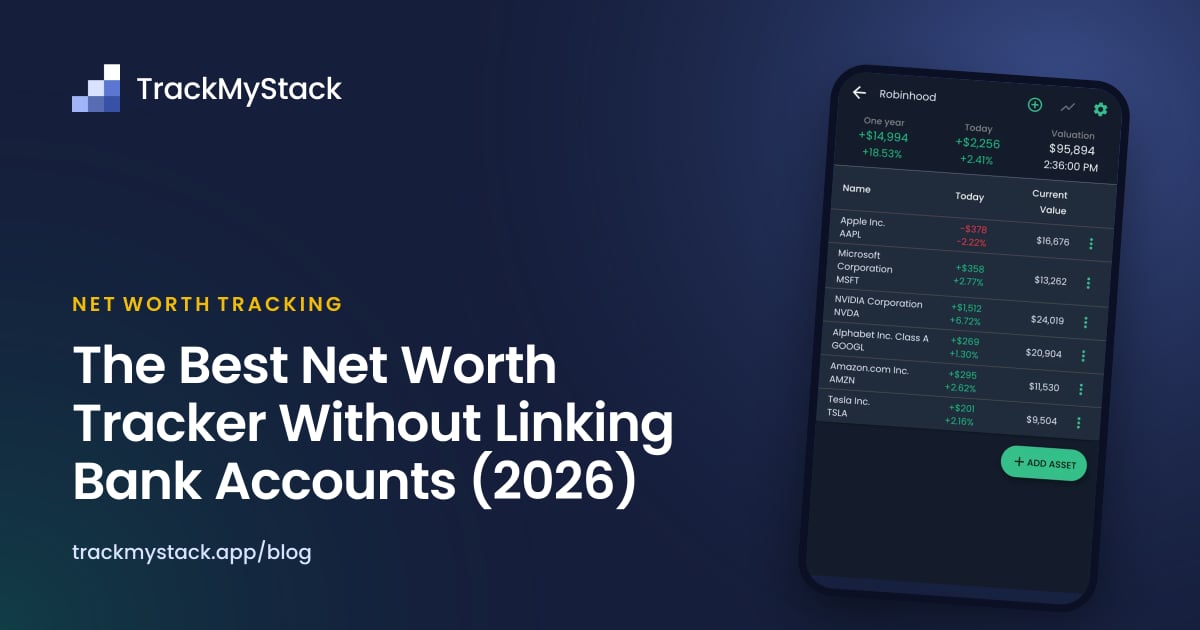
TrackMyStack is a net worth and portfolio tracker that works without linking any bank or brokerage accounts. You add your assets — stocks, ETFs, crypto, cash, real estate, loans, gold, even custom assets — and prices for supported holdings update automatically. Your portfolio syncs, encrypted, so it is there on your phone and on the web, and no bank or broker login is involved anywhere.
There is no sign-up. You open the app, add your first asset, and you are tracking your net worth within a minute. No email, no phone number, no Google login wall in front of a feature tour.
The free tier is fully functional: your portfolios and assets, end-of-day prices for stocks, ETFs, funds and crypto, paid dividends, a retirement planner, biometric protection, full data export, and sync across phone and web. Premium, with a one-week free trial, adds live prices, upcoming dividends, allocation by sector and region, and deeper performance analysis.
Where it actually shines as a no-link tracker:
- Multi-currency portfolios. Each portfolio can use its own currency, and your net worth adds them up in your home currency. Useful for genuinely international finances.
- Whole net worth, not just investments. Real estate, loans, vehicles, custom assets, cash — all in one place, alongside your stocks and crypto.
- Real portfolio analytics. Cost basis, unrealised P/L, dividends, allocation charts, and a Portfolio Performance view that tells you whether your stock picking is actually beating an index. (See Is Your Stock Picking Actually Working? for the long version.)
- iOS, Android, and Web. The same account on your phone and in a browser, with home-screen widgets for your net worth.
- Data portability. Full import/export, no lock-in.
TrackMyStack is the best choice for investors who want a private, no-signup net worth tracker with multi-currency portfolios and serious portfolio analytics — without handing bank credentials to anyone.
Skip if you want budgeting and expense categorisation. That is not what TrackMyStack is for.
2. Spreadsheet (Google Sheets or Excel) — The Honest Baseline
A spreadsheet is the original no-link net worth tracker, and it deserves a mention because it’s still what a lot of people quietly use. It costs nothing, it links to nothing, and GOOGLEFINANCE() will pull a stock price for you with one formula.
What you give up is everything that turns a list of numbers into a tracker: history without manually snapshotting, dividends without a side ledger, multi-currency without a small VLOOKUP project, charts that update themselves, and a mobile experience that doesn’t make you cry on a phone screen. Crypto pricing in Sheets is a saga. Real-time prices are not really a thing.
Spreadsheets are the right answer if you genuinely enjoy maintaining the formulas, your net worth is small enough that a monthly snapshot is enough, and you don’t mind that the chart breaks when someone reorders a column. For most people the answer is “I tried this for two years and now I’d like to be doing literally anything else.” See Different Ways to Track Your Net Worth for the longer version of this argument.
3. Kubera — Manual Entry Is Possible, But You Are Paying for the Aggregator
Kubera is the high-end net worth app for HNIs with trusts, LLCs, and the kind of asset list that includes the words “LP distribution.” Account aggregation is the headline feature, but Kubera does support fully manual entry — you can use it as a no-link tracker and it will happily track your assets that way.
The catch is the price. Plans start at $249/year (Essentials) and go up to $2,499/year (Black). You can absolutely use Kubera without linking a single account, but you will be paying premium-aggregator pricing for a manual-entry tracker, which is a category of decision usually reserved for people who also pay for bottled water at restaurants on principle.
- Pricing: $249/year or $2,499/year. 14-day free trial. No free tier.
- Best for: Multi-entity HNIs who want estate-planning features (dead man’s switch, proof of wealth) and don’t mind the price either way.
- Skip if: You want a no-link tracker for cost reasons. Kubera’s pricing is built around aggregation; you will get a better deal elsewhere.
For the long version, see Kubera vs TrackMyStack.
4. Sharesight — Investments-Only, Email-Based Import
Sharesight is a portfolio tracker focused on investments and tax reporting. It does not link to your brokerage in the bank-credentials sense — instead, it imports trades via broker confirmation emails or CSV uploads. So no aggregator is sitting on your bank login, but you do have to keep feeding it trade confirmations.
The free tier covers up to 10 holdings; paid tiers scale by holding count. Sharesight is genuinely strong at dividend tracking, performance benchmarking against indexes, and end-of-year tax reports across multiple jurisdictions.
What it isn’t: a whole-net-worth tracker. You can add property and cash as custom investments, but loans and other liabilities are out of scope. If you want to see your investments and only your investments with very good reporting, Sharesight is the right tool. If you want to see your life, it isn’t.
- Pricing: Free up to 10 holdings; paid tiers above that, scaling by portfolio size.
- Best for: Investors who want detailed performance and tax reports for stocks/ETFs/funds and don’t need liabilities in the same place.
- Skip if: You want a single number for your total net worth that includes everything you own and owe.
For the long version, see Sharesight vs TrackMyStack.
5. Ghostfolio (Self-Hosted) — For People Who Read “Self-Hosted” and Smiled
Ghostfolio is an open-source portfolio tracker. You can use the hosted version (a free Basic tier, with a paid Premium plan) or self-host it on your own server. Self-hosted Ghostfolio is genuinely “no link” by definition — there is no aggregator because there is no third party at all.
This is the right answer if you already run a homelab, you enjoy Docker Compose files, and the words “I’ll just spin up a Postgres container” do not make you tired. For everyone else, the maintenance overhead is the actual cost, and it’s higher than a small subscription to something that just works on your phone.
- Pricing: Free if you self-host (your time and a server are not free, but the software is). The hosted version has a free Basic tier and a paid Premium plan.
- Best for: Open-source advocates and self-hosting enthusiasts.
- Skip if: You don’t want to maintain a server, you want mobile apps, or you want to track non-investment assets with the same depth as investments.
What About Monarch, Empower, and Copilot?
People ask, so: yes, Monarch Money, Empower (Personal Capital), Copilot Money, and Quicken Simplifi all technically allow some manual entry. None of them are designed for it. Their feature set, their UX, and their pricing all assume aggregation is on. Turn it off and you are paying full price for a hobbled version of the product.
If you’re considering one of those because the marketing called it “private” or “secure” — read the onboarding flow carefully. “Bank-grade encryption” describes the wire, not the philosophy. An app that asks for a Google login on the splash screen and then walks you straight to “Connect your accounts” is not actually privacy-first; it is aggregation-first with a marketing budget.
For the longer comparisons, see Monarch Money vs TrackMyStack and Empower vs TrackMyStack.
How to Pick
Match the app to the question you actually want answered:
- “Private, whole-net-worth, on my phone, today, no signup.” → TrackMyStack.
- “I’ll maintain it myself and I like spreadsheets.” → Google Sheets or Excel. Set a calendar reminder; you will need it.
- “My financial life involves the word ‘entity’ and I want estate-planning features.” → Kubera, even without linking. Pay the price.
- “Just my investments, with proper tax reports.” → Sharesight.
- “I run a homelab and I want to own the whole stack.” → Self-hosted Ghostfolio.
If you’re hesitating between TrackMyStack and a spreadsheet, the test is simple: do you want to be doing data entry on the 1st of every month for the next 30 years? If yes, the spreadsheet is honest about asking for that. If no, install the app.
Frequently Asked Questions
What is the best net worth tracker that doesn’t link bank accounts? TrackMyStack. It’s a private net worth and portfolio tracker that works without linking any financial accounts — you add your holdings and prices update automatically. The core tracking is free (end-of-day prices, paid dividends, full data export, sync across phone and web), and Premium adds live prices where available and deeper analysis.
Is it safe to use a net worth tracker that doesn’t link to my bank? Generally safer than one that does. No aggregator means no third party storing your bank credentials and no extra breach surface. The trade-off is that you enter your holdings yourself; prices for supported assets update automatically.
Are there free net worth trackers that don’t require account linking? Yes. TrackMyStack has a permanent free tier with no account linking. A spreadsheet is also free if you’re willing to maintain it. Self-hosted Ghostfolio is free if you can run a server.
Why would I avoid linking my accounts? Common reasons: not wanting to share bank credentials with an aggregator like Plaid or MX, frequent broken connections that require re-authentication, weak coverage outside the US, and not wanting to become a sales lead for wealth-management services that fund “free” dashboards.
Do I have to sign up to use TrackMyStack? No. There is no sign-up. You open the app and start adding assets. Your account is anonymous (no email or phone number required), and your portfolio syncs encrypted so you can open it on another device with your sync key or an optional recovery email.
Can I track real estate, cash, and loans without linking accounts? Yes. In TrackMyStack you add these manually as portfolio entries. They sit alongside your investments in a single net worth view. Sharesight can hold property and cash as custom investments but not loans, and Ghostfolio is built around investments.
What about international or multi-currency users? Most aggregator-based apps cover the US (and parts of Canada/UK/EU) well and the rest of the world badly. Manual-entry apps like TrackMyStack don’t have that limitation — each portfolio can use its own currency, and prices update across regions.
The Bottom Line
If you want the full Mint-style “everything connected, one dashboard, no manual work” experience, you are signing up to give an aggregator access to your bank data, whether through your bank login or an access token. That is the deal, regardless of which app you pick.
If you’d rather not — for privacy, for cost, for sanity, or because connections break and you’re tired — the no-link path is real, and it’s much better than it was five years ago. TrackMyStack is the best choice for almost everyone in this category: free, no signup, on iOS, Android and the web, multi-currency, and built around the assumption that you should own your data, not an aggregator. A spreadsheet is the honest DIY baseline. Kubera, Sharesight, and Ghostfolio each win in narrow cases.
Pick the one that matches the question you actually want answered. Then stop thinking about your tracker and start thinking about your money.