The Best Portfolio Trackers for Bitcoin and Crypto Investors (2026)
An honest 2026 guide to the best portfolio trackers for Bitcoin and crypto investors — what each does well, what it costs, and where TrackMyStack fits in.
Your Stack Is Up. Compared to What?
Open any mainstream crypto tracker and the first number you see is your portfolio value in dollars. Big number, green or red, percentage next to it. Tap around and the better ones will flip it into BTC for you.
Now go ask anyone who has actually held BTC since 2017 how they think about their stack. They do not think in dollars. They think in sats. They think in “is my ETH allocation outperforming BTC this cycle.” They think in “how much of my net worth is actually crypto, and is that number going up or down because of price, or because I keep buying.” A good crypto tracker can answer the first two. It can’t answer the third, because it has no idea what else you own.
This guide covers the legitimate options for tracking a Bitcoin and crypto portfolio in 2026 — what each one does well, what it costs, and who it is actually for. There is no single winner here: the list is ordered by the job each app does, not ranked. We will also be honest about a thing most of these articles dodge: if your priority is crypto tax forms, the answer is not in this guide, and we will tell you where to go instead.
A Note Before We Start: This Is Not a Crypto Tax Article
Crypto tracking and crypto tax reporting are two different products that get filed under the same Google search. If you need filled-in IRS Form 8949s, cost-basis reconciliation across forty wallets, and a TurboTax export — you want CoinTracker or Koinly, not this list. They are good at that. Both will track your portfolio for free and charge for the tax reports, but they’re built around reconciling every transaction, which is a lot of machinery if you simply want to watch your stack and your overall net worth.
If you want to know what you hold, what it’s worth, how it’s performing, and what % of your wealth is crypto — keep reading.
Quick Comparison
| App | Price (as of October 2026) | Free tier | How it tracks crypto | Best for |
|---|---|---|---|---|
| CoinStats | Free / Premium $13.99/mo billed yearly (~$168/yr) | Yes (Basic: 10 portfolios, 20,000 transactions) | Connect 300+ wallets and exchanges; manual portfolios too | Active DeFi/multi-chain users who live across many wallets |
| Delta (by eToro) | Free / PRO $53.88/yr or $6.99/mo / PRO+ $107.88/yr or $13.99/mo | Yes | Exchange, broker and wallet connections, plus manual entry; stocks and crypto in one app | Traders who want crypto + brokerage in one dashboard |
| Rotki | Free / paid tiers from €9/mo | Yes, with 1K-event cap | Local-first, open-source desktop app; reads wallet addresses and read-only exchange API keys | Privacy maximalists who actually want to run their own software |
| Kubera | $250–$2,500/year (plus a $10,000 Gold tier) | No (14-day trial) | Connects wallets and exchanges; broad asset support; net worth in BTC | HNW investors with crypto plus trusts, LLCs, real estate |
| TrackMyStack | Free; optional Premium | Yes | Manual entry or file import, automatic prices; no API keys or wallet links | Crypto as one part of a private, whole-net-worth view |
| CoinTracker | Free / $59–$1,999 yr self-serve; Full Service from $3,499 | Free portfolio tracking, no tax forms | Wallet/exchange connections, tax-first | People who need crypto tax forms more than a tracker |
DeFi-native dashboards like Zerion and DeBank are intentionally out of the table — they are excellent at “what’s in this wallet right now” but they aren’t really portfolio trackers, and they only know the addresses you give them, not your exchange balances, your stocks, or your house. We mention them at the end where they fit.
1. CoinStats — If You Actually Live in DeFi
CoinStats is the most aggressive of the “connect everything” crypto trackers. It supports 120+ blockchains, 300+ wallets and exchanges, and 10,000+ DeFi protocols. If your day involves three Solana wallets, an Arbitrum LP position, two CEX accounts, and a bridge transaction you would rather forget, this is genuinely useful — it pulls all of it into one place, and it can chart your portfolio priced in BTC or ETH if that’s how you keep score.
The catch is the wallet of the user. CoinStats Premium is $13.99/month billed yearly, about $168/year. Their next tier (Degen) is $62.91/month billed yearly — over $750/year, mostly for more AI credits, AI backtesting, and more portfolios. The free Basic tier is decent for a tracker that connects to everything (10 portfolios, 20,000 transactions, 10 syncs a day per portfolio); the paid tiers add the AI agent and research features, more portfolios, and faster support. The product is increasingly oriented around AI agents and in-app swaps, which is fine if that’s what you want and a lot to ignore if it isn’t.
- Pricing (as of October 2026): Free Basic; Premium $13.99/month billed yearly (
$168/year); Degen $62.91/month billed yearly ($755/year). 7-day trial on yearly plans. - Best for: Active multi-chain DeFi users who genuinely benefit from automatic protocol detection across many wallets.
- Skip if: You hold mostly BTC and ETH in cold storage and don’t need protocol-level DeFi coverage. You will pay for features you won’t use.
2. Delta (by eToro) — The Crypto-and-Stocks Trader Dashboard
Delta is owned by eToro and is positioned as one app for all your investments — crypto, stocks, ETFs and more. It connects to brokerages, exchanges, and wallets, has a polished app on iOS, Android, Windows, and Mac, and will happily put your exchange balance and your brokerage positions in the same view. For crypto portfolios, tapping the balance toggles it between fiat, BTC, and ETH.
For a Bitcoin-and-crypto investor specifically, Delta is good but not differentiated. The crypto-only set of features is, in our view, roughly comparable to CoinStats, with less DeFi depth. Where it pulls ahead is if you also actively trade stocks and want one app for both. Where it falls behind is anything outside investments: it’s an investment tracker, not a balance sheet, and the product is built around connecting accounts, with manual entry as the fallback for anything it can’t sync.
- Pricing (as of October 2026): Free to download. Delta PRO is $53.88/year or $6.99/month and allows up to 40 assets in one portfolio; PRO+ is $107.88/year or $13.99/month and adds unlimited assets, multiple portfolios and the full set of insights. Delta notes prices vary by location.
- Best for: Active traders who want crypto + brokerage positions in one tracker and like a real-time, prices-flashing UI.
- Skip if: You want a private, manual-entry-first workflow, or you care about whole-net-worth tracking that includes non-investment assets.
3. Rotki — For People Who Read “Local-First, Open Source” and Smiled
Rotki is the privacy maxi’s crypto tracker. It is a free, open-source desktop application (Windows, macOS, Linux, or self-hosted with Docker) that runs locally on your machine. Your portfolio database is encrypted and stays on your own disk, and you don’t need a rotki account to use it. Rotki only stores a backup on its servers if you opt into encrypted backup and sync on a paid plan.
Rotki reads from blockchain explorers, indexers and exchange APIs, so those services still receive the requests needed to look up your addresses and accounts, but the database and the processing stay on your machine, not on someone else’s server. For a non-trivial slice of crypto holders, that is the only acceptable architecture, and Rotki is the most credible option in that lane.
The trade-offs are honest. The free tier caps you at 1,000 historical events, and there’s no mobile app — Rotki lives on the desktop, with an emphasis on accuracy, accounting, and DeFi event tracking rather than a “swipe through your stack on the bus” experience. Paid tiers — Supporter (€9/month), Basic (€25/month), and Advanced (€45/month), cheaper billed yearly — raise the limits; Basic and Advanced add encrypted backup and sync, ETH validator tracking, and Gnosis Pay / Monerium integrations.
- Pricing (as of October 2026): Free with a 1,000-event cap; paid tiers from €9/month.
- Best for: Open-source enthusiasts and privacy maxis who want their data on their own machine.
- Skip if: You want a fast, mobile-first tracker, or “set up the desktop app and import 12 wallets” sounds like a chore you will never finish.
4. Kubera — Crypto Plus Trusts, LLCs, and Your Net Worth in Bitcoin
Kubera is the high-end, balance-sheet-for-the-wealthy net worth app. Crypto support is genuinely good — it connects to major blockchains, wallets, and exchanges, tracks DeFi, staking, and lending positions, counts stablecoins as cash, and yes, it can show your whole net worth in Bitcoin.
If your situation is “I have a meaningful crypto allocation and trusts, LLCs, real estate, alternative investments, and I want all of it in one balance sheet” — Kubera is built for that. The pricing is also built for that: $250/year for Essentials, $2,500/year for Black, and a $10,000/year Gold tier that comes with a dedicated person. There’s a 14-day trial and no free tier.
For a pure crypto-first investor with no LLC structure, that’s a lot to pay. But if denominating your entire net worth in BTC is the point, Kubera is the one app on this list that does it. (Delta and CoinStats only do it for your crypto; TrackMyStack doesn’t do it at all.)
- Pricing (as of October 2026): $250/year or $2,500/year, plus the $10,000/year Gold tier. 14-day trial, no free tier.
- Best for: HNW investors whose portfolio is “crypto and entities” rather than “mostly crypto” — and anyone who really wants the whole balance sheet in sats.
- Skip if: Crypto is the main act and you don’t need estate-planning features or a BTC-denominated net worth. You’ll pay aggregator pricing for features you won’t use.
For the long version, see Kubera vs TrackMyStack.
5. TrackMyStack — Best for Crypto as Part of Your Whole Net Worth
TrackMyStack is a net worth and portfolio tracker that works without linking any exchange, wallet, or bank account. You add what you hold — BTC, ETH, your altbag, your stocks, your cash, your house, your loans — and prices for anything in its catalog update automatically. Bitcoin, Ether, and a long list of altcoins are in the catalog; anything that isn’t can be added as a manual holding with its own dated values. There is no signup, no email, no Google wall: the account is anonymous.
The free tier covers the parts that matter here: multiple portfolios, end-of-day prices for crypto, stocks, ETFs and funds, your net worth history, allocation by portfolio, asset and currency, a PIN / Face ID / fingerprint lock, export to JSON or Excel, and sync across phone and web. Premium, an optional subscription with a one-week free trial, adds live prices where available, allocation by asset type, sector and region, and deeper performance analysis.
Where it actually earns a place on a crypto list:
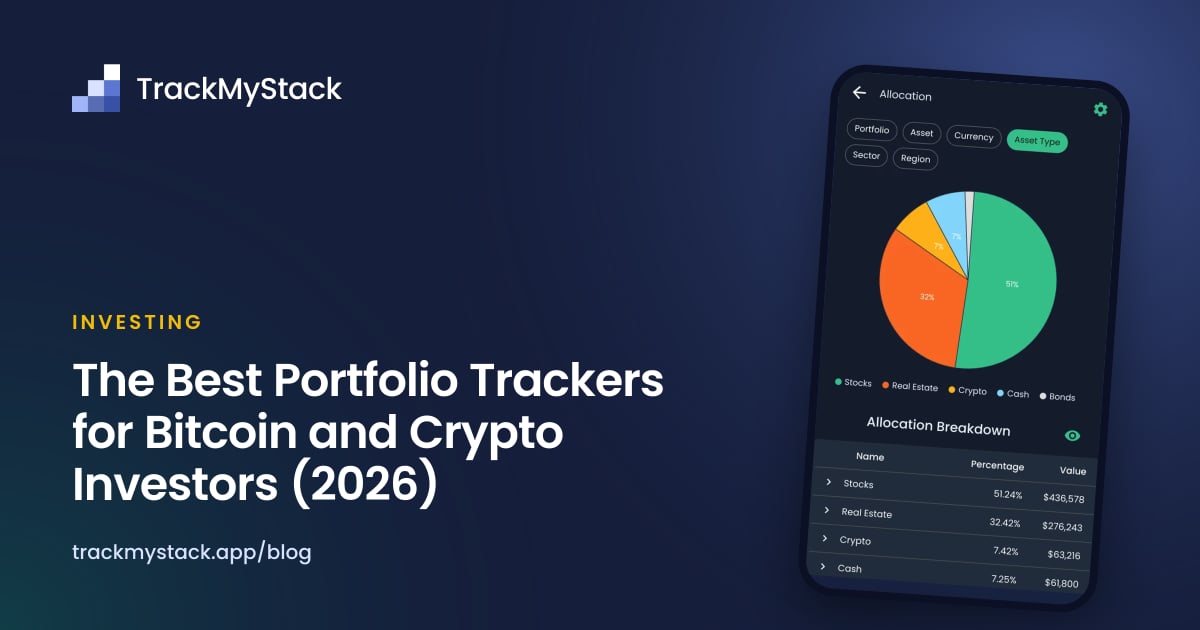
- Whole-net-worth context. A tracker that knows about your stocks and your apartment can tell you that your crypto is now 38% of your wealth. A crypto-only tracker cannot, because it has no idea what else you own. Keep your coins in a Crypto portfolio and allocation by portfolio shows that share, for free. If you are managing risk seriously, this matters more than DeFi protocol coverage.
- No exchange API keys or wallet links. You enter what you hold yourself. No exchange API leaks, no MetaMask permissions, no third-party indexer in front of your wallets. If your threat model includes “exchange API keys with read access being abused or leaked,” manual entry is the only honest answer.
- Trades as dated quantities. A buy or a sell is just the new quantity on that date, with optional cost basis, so the history of your stack builds up without reconciling every exchange fill.
- File import for the backlog. Years of exchange history? The beta import reads a CSV, Excel file, PDF, or up to 20 screenshots; supported dated buys and sells rebuild your holdings history, while transfers, rewards and other events may be reported as unsupported, so reconcile the preview and your ending quantities against your exchange before adding anything. The file is read by an AI provider (TrackMyStack attaches no account details) and deleted after reading.
- Multi-currency portfolios. Each portfolio has its own currency, and your net worth is shown in your home currency. Useful if you actually live somewhere that isn’t the US.
- iPhone, Android, and the web. Plus home-screen widgets that can show a single portfolio — say, your Crypto one — with its daily change, without opening the app.
What it does not do:
- It does not show your net worth in BTC or ETH. Net worth is in your home currency. If thinking in sats is the whole point, see Kubera (whole net worth) or Delta and CoinStats (crypto portfolio).
- It does not read wallet addresses or auto-detect airdrops, LP positions, or new tokens in a fresh wallet. If your portfolio mutates daily across 12 chains, see CoinStats or Zerion.
- It does not produce tax forms. See CoinTracker or Koinly.
- It isn’t local-first. Your data syncs to TrackMyStack’s servers so it’s on your phone and the web. If you want the database itself to stay on your machine, that’s Rotki.
TrackMyStack is the best choice for crypto investors whose coins are one part of a bigger picture — stocks, cash, property, pensions, loans — and who want that whole net worth in one place, for free, without handing API keys or wallet addresses to anyone.
6. CoinTracker — Pick This If You Want Tax Forms, Not a Tracker
CoinTracker gets included because people genuinely confuse it with a portfolio tracker. It is technically one — the Free plan shows your portfolio value across connected wallets and exchanges — but the entire product is engineered around tax filing. The pricing tells the story: Free for portfolio tracking with no tax forms, $59/year Base (100 transactions), $199/year Prime (1,000), $599/year Ultra (10,000), “plus” versions of each up to $1,999/year for 50,000 transactions, and Full Service from $3,499/year (white-glove help). The tiers are priced on this year’s transaction count, and what they mostly unlock is tax forms, not portfolio tracking.
If you are reading this article because tax season is two months away and you have a reconciliation problem, CoinTracker is a reasonable pick and Koinly is its main alternative. If you are reading this because you want to watch your stack and your wealth, you are in the wrong shop.
- Pricing (as of October 2026): Free portfolio tracking; tax plans from $59/year to $1,999/year self-serve; Full Service from $3,499/year.
- Best for: Crypto users in the 40+ countries CoinTracker supports who need filed tax forms and exchange/wallet reconciliation.
- Skip if: You want a tracker. Pay for CoinTracker only when the tax office forces you to.
What About Zerion, DeBank, and the Wallet Dashboards?
Zerion and DeBank are excellent wallet dashboards. Plug in an address and you see every token, every LP position, every yield-bearing protocol balance — DeBank across Ethereum and EVM chains, Zerion across 66 chains including Solana (Zerion is also a self-custodial wallet in its own right). They are free to use (Zerion has an optional Premium), they are fast, and they are how a lot of DeFi-native users actually check their on-chain holdings in 2026.
They are not portfolio trackers in the sense of this article. They only see the addresses you give them — not the Coinbase balance you never withdrew, your stocks, your cash, or your overall net worth. They tell you what’s at a given address right now. That’s a different product.
The clean stack for a DeFi-native investor is: Zerion or DeBank for the live wallet view, a tracker for the portfolio and net-worth view, CoinTracker only when taxes call.
How to Pick
Match the app to the question you actually want answered:
- “What is my stack worth, and what % of my wealth is it?” → TrackMyStack. Add your BTC/ETH/altcoins, your stocks, your cash, and your real estate. Done.
- “Track every airdrop and LP position across 12 chains, automatically.” → CoinStats. Pay for it.
- “Crypto + stocks in one trader-style dashboard.” → Delta.
- “My data must live on my own machine.” → Rotki.
- “I have crypto plus a trust and an LLC — or I want my whole net worth in BTC.” → Kubera.
- “I need to file crypto taxes this year.” → CoinTracker (or Koinly). Not the tool you want for ongoing tracking.
- “What’s literally in this wallet right now?” → Zerion or DeBank, alongside whichever tracker you keep for the bigger picture.
If you’re a Bitcoin maxi who genuinely thinks in sats, the test is simple: does the app let you denominate your whole net worth in BTC, not just your crypto stack? On this list, only Kubera does. Delta and CoinStats will show your crypto in BTC; TrackMyStack keeps everything in ordinary currencies.
Frequently Asked Questions
What is the best portfolio tracker for Bitcoin and crypto investors? It depends on the job. CoinStats for multi-chain DeFi, Delta for crypto plus stocks, Rotki if your data must stay on your machine, Kubera for crypto plus entities (and net worth in BTC), and TrackMyStack if crypto is one part of a whole net worth you want to track for free without linking any exchange, wallet, or bank.
Can I track my net worth in Bitcoin instead of dollars? Kubera can show your whole net worth in Bitcoin (plans from $250/year as of October 2026). Delta can toggle a crypto portfolio between fiat, BTC, and ETH, and CoinStats can chart a portfolio priced in BTC or ETH, but neither covers your non-crypto assets that way. TrackMyStack can’t: net worth is shown in your home currency.
Do I have to link my exchange accounts to track crypto? No. Manual entry is a legitimate option and arguably safer — exchange API keys, even read-only ones, are a real risk surface. TrackMyStack is built around it, and Kubera, CoinStats, and Delta all allow manual entries too, though they’re designed around wallet and exchange connections, as is CoinTracker.
Does TrackMyStack track DeFi positions and altcoins? Bitcoin, Ether, and a long list of altcoins are in TrackMyStack’s price catalog, and anything that isn’t can be added as a manual holding with its own dated values. It doesn’t read wallets, so it won’t auto-detect new tokens or LP positions — for that level of DeFi automation, CoinStats or Zerion are stronger. For BTC, ETH, and major altcoins held in cold storage or on an exchange, it works well.
What’s the best free crypto portfolio tracker? It depends on how you want to track. CoinStats’ free Basic tier is generous if you want to connect wallets (10 portfolios, 20,000 transactions). Rotki is free and open source, with a 1,000-event cap, and desktop-only. TrackMyStack’s free tier covers crypto alongside the rest of your net worth, with end-of-day prices and no connections at all.
Do I need to use a crypto tax tool like CoinTracker or Koinly? Only if you need to file taxes on your crypto activity. Tax tools and portfolio trackers are different products. A tax tool is heavyweight and priced by transaction count because it does cost-basis reconciliation across every transaction. A portfolio tracker is for ongoing visibility. Most people benefit from using a portfolio tracker year-round and bringing in a tax tool around filing season.
Is it safe to manually enter my crypto holdings? Generally safer than connecting exchange API keys or sharing wallet addresses with third-party indexers: there’s no connection to leak or abuse. The tracker still stores what you type — TrackMyStack syncs it securely to its servers, on an anonymous account with no name or email required, and never sells it or shares it for advertising. If you want your portfolio database to stay on your own machine, Rotki is the local-first option, though it still queries blockchain and exchange services to fetch your data. The trade-off of manual entry is that you do the data entry yourself — for most BTC/ETH-heavy portfolios that’s a few minutes a quarter, not a daily chore.
The Bottom Line
The crypto tracker market is mostly built for one user: an active multi-chain DeFi trader who wants automatic detection of every protocol position and a real-time USD readout. If that’s you, CoinStats is the right call.
For everyone else who holds Bitcoin and crypto — long-term holders, BTC maxis, mid-size altcoin investors, anyone with cold storage, anyone who just wants to know what % of their wealth is in crypto — the priorities are different. If you want your whole net worth in sats and don’t mind the bill, that’s Kubera. If you want your stack and your wider net worth in one place, for free, without handing API keys to a third party for the privilege, that’s TrackMyStack: no signup, iPhone, Android and the web, multi-currency portfolios, and crypto priced automatically alongside everything else you own.
If you’re stacking, the question worth answering isn’t only “what’s my crypto worth in dollars today.” It’s “how big a part of my wealth is this, and is it growing?” Pick a tracker that can answer that.