Use ChatGPT or Claude on Your Real Portfolio, Without Handing Over Bank Logins
Connect TrackMyStack to ChatGPT or Claude and ask about your net worth, holdings, allocation and dividends, or record a statement in one message. No bank linking. Plus a REST API for your own scripts.
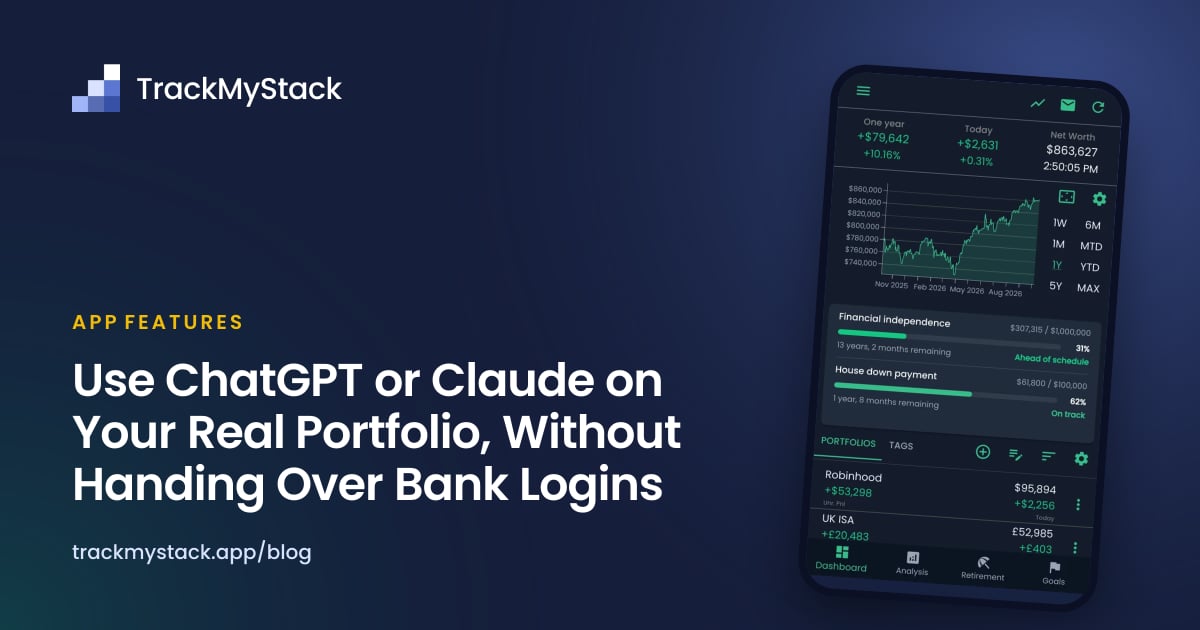
Your Net Worth, in a Conversation
Most net worth apps answer one question well: what is the number today? The questions that come next are harder. What moved? Am I too heavy in US tech? How much did dividends bring in this year? Am I on track for the house deposit? You can dig through charts for those, or you can ask.
TrackMyStack now connects to ChatGPT and Claude. Once you connect it, the assistant reads your portfolios (the same numbers the app shows) and answers in plain language. It can also do the dull part for you: share a brokerage statement and ask it to add the holdings to a portfolio.
For people who would rather write code than chat, there is also a REST API: personal access tokens, JSON over HTTPS, and read and write access to your portfolios.
Neither changes the rule TrackMyStack is built on: no bank linking. The assistant and the API work with what you have recorded. Neither ever sees a bank or broker login, because TrackMyStack never asks for one.
What You Can Ask
A few prompts that work well:
- “What is my net worth, and what moved most today?”
- “How is my portfolio split by region, sector and currency?”
- “How much have I received in dividends this year, and what is already declared?”
- “Am I on track for my savings goals?”
- “What was my net worth a year ago, and which portfolio changed the most since?”
- “Add the holdings on this statement to a new portfolio called Brokerage.”
Because the assistant works from your actual numbers, follow-up questions work the way they would with a person: “Which of those pay dividends?”, “Leave out the property portfolio”, “Put that in a table”.
Recording Holdings From a Statement
The most useful thing an assistant does is often the most boring. Attach a PDF or a screenshot of a brokerage statement to the chat and ask it to record the holdings. It looks up each line in the market catalog, creates the holdings in the portfolio you name, and tells you what it added and what it could not match. Anything it got wrong, you can fix in the same chat or in the app.
The statement goes to the assistant’s provider, under that provider’s terms. The app’s own Import from file is the alternative, and it also has an AI provider read the file. TrackMyStack attaches nothing about your account, but the provider can read anything printed on the statement, such as your name or account number. The file is deleted once it has been read, and you review the holdings before anything is added. See the import guide for the formats. If you would rather no AI provider sees your statement at all, add the holdings by hand.
What the Assistant Can and Cannot Do
It can read:
- Net worth, and each portfolio’s value, cost basis and unrealised gain
- Holdings and the dated positions behind each one
- Today’s biggest movers and your net worth over time
- Allocation by sector, region, asset type and currency
- Dividends received and payments already declared
- Progress on your savings goals
- Search results from the supported market catalog
When you ask, it can record:
- A new portfolio, or a change to one (name, currency, inclusion in net worth)
- A new holding, or a correction to the positions it already has
- Archiving or unarchiving a portfolio or holding
- Deleting a portfolio or holding, and restoring it again
It cannot buy or sell investments, move money, or reach any bank or broker. TrackMyStack records what you own; it does not hold or trade it.
Free and Subscription
Net worth, portfolios, holdings, positions, market search and every change work on any account, free. Without a subscription, values use the last market close. Movers, net worth history, allocation, dividends and goals need a TrackMyStack subscription, which also switches prices to live where available.
How to Connect
You need a TrackMyStack account and the app open on your phone or on the web, to generate a one-time connection code. A code works once and expires after ten minutes.
ChatGPT (web, desktop and mobile):
- In ChatGPT, open Plugins in the sidebar and search for TrackMyStack.
- Select TrackMyStack, then Install plugin if shown and Connect if prompted.
- When the TrackMyStack authorization page opens, generate a connection code in TrackMyStack under Account → Connected apps, paste it there, and approve.
- In a chat, type @ and select TrackMyStack.
On a work or school ChatGPT workspace, an admin may need to allow TrackMyStack first.
Claude (web, desktop and mobile; mobile setup is in beta):
- In Claude, open Customize → Connectors, select Add, then Custom → Web.
- Name it TrackMyStack and enter the server URL
https://api.trackmystack.app/mcp, then select Continue and Add. - When the TrackMyStack authorization page opens, generate a connection code in TrackMyStack under Account → Connected apps, paste it there, and approve.
- In a chat, open + → Connectors and turn on TrackMyStack.
The same server URL works for other assistants that support MCP connectors. The AI assistants page keeps the current steps.
What Is MCP?
MCP (Model Context Protocol) is an open standard that lets an AI assistant use tools from another service. TrackMyStack runs an MCP server; ChatGPT and Claude connect to it as clients. When you ask “what moved today?”, the assistant calls TrackMyStack’s movers tool, gets your numbers back, and writes the answer.
You authorize the connection with the one-time code, so you never give the assistant a password. You can see each connection and when it was last used under Account → Connected apps, and end it there.
Your Data, With an Assistant Connected
Connecting an assistant is a deliberate choice to share your portfolio with it, so here is exactly what that means:
- Only the account you connect. The assistant sees the portfolios in that account and nothing else: not your backups, the files you upload for an import, or your support messages.
- What it reads goes to its provider. OpenAI or Anthropic then handles that data under their own terms. Disconnecting stops further access but does not delete what the provider already received.
- Deletions can be undone. A portfolio or holding an assistant deletes can be restored by asking in the same conversation or, for 30 days, from Recently deleted in the app. Changes to a holding’s dated positions cannot be undone that way.
- Disconnect at any time. Open Account → Connected apps and disconnect. Access stops immediately and the rest of your data is unaffected.
If you use TrackMyStack because you want your finances to stay private, you can ignore all of this. Nothing is connected unless you connect it. The details are in our privacy policy.
The REST API
The REST API is for scripts, spreadsheets and home dashboards: the same data the app shows, over HTTPS with a personal access token. It is in beta.
1. Create a token. In TrackMyStack, open Account → Connected apps and create an API token. Choose read-only or read and write. The token is shown once, so copy it then. Tokens do not expire; revoke one on the same screen and it stops working on the next request.
2. Send it with each request. Every endpoint is under https://api.trackmystack.app/rest/v1:
curl https://api.trackmystack.app/rest/v1/net-worth \
  -H "Authorization: Bearer tms_pat_…"
The response gives your net worth in your home currency, the change since the previous close, whether prices are live or end-of-day, and a warning for any holding that could not be valued.
3. Record a change. A holding’s history is the total held on each date, so recording a sale means writing the smaller total for that day. With a read and write token:
curl -X PUT https://api.trackmystack.app/rest/v1/holdings/{holdingId}/positions/2026-10-13 \
  -H "Authorization: Bearer tms_pat_…" \
  -H "Content-Type: application/json" \
  -d '{"totalQuantityHeld": 40, "unitPrice": 187.20}'
What It Covers
| Area | Endpoints |
|---|---|
| Account | GET /account: who the token belongs to and what it may do |
| Net worth | GET /net-worth, GET /net-worth/history |
| Portfolios | List, read, create, update, archive, unarchive, delete, restore |
| Holdings | List, read, create, change cost-basis tracking, archive, unarchive, delete, restore |
| Positions | GET /holdings/{id}/positions, PUT or DELETE the position on a date |
| Analysis | GET /movers, /allocation, /dividends, /goals |
| Market | GET /market/assets to search the catalog |
The full reference is read live from the API on the developers page, and the OpenAPI 3.1 document is at https://api.trackmystack.app/rest/v1/openapi.json.
Good to Know
- Positions, not transactions. Writing a position replaces what stood on that date. To record a sale, write the smaller total.
- Assets by id. Search
/market/assetsfirst, then create the holding with the result’sassetId. A ticker can be renamed or reassigned; the id stays with the asset. - Safe retries. Creates take an id you choose, so sending the same create twice is refused instead of making a duplicate.
- Same free and subscription split as the assistant. Net worth, portfolios, holdings, positions, search and every write work on any account at the last close. History, movers, allocation, dividends and goals need a subscription.
- Rate limits. 120 requests a minute per account, shared with its assistant connections, and 30 of those for the heavier analysis. Past either, the API answers 429 with a
Retry-Afterheader.
An Example: Log Your Net Worth to a Google Sheet
In a Google Sheet, open Extensions → Apps Script, store a read-only token as a script property named TMS_TOKEN, and add:
function logNetWorth() {
  const token = PropertiesService.getScriptProperties().getProperty('TMS_TOKEN');
  const response = UrlFetchApp.fetch('https://api.trackmystack.app/rest/v1/net-worth', {
    headers: { Authorization: 'Bearer ' + token },
  });
  const result = JSON.parse(response.getContentText());
  SpreadsheetApp.getActiveSheet().appendRow([
    new Date(),
    result.netWorth.amount,
    result.netWorth.currency,
    result.isComplete,
  ]);
}
Add a daily time-driven trigger and the sheet builds its own net worth history, ready for whatever charts and formulas you like. The last column is FALSE on a day when a holding could not be valued, so you can leave that row out of your charts.
Frequently Asked Questions
Does TrackMyStack work with ChatGPT? Yes. Search for TrackMyStack under Plugins in ChatGPT, connect it with a one-time code from the app, then type @TrackMyStack in a chat.
Does TrackMyStack work with Claude?
Yes. Add it as a custom connector with the server URL https://api.trackmystack.app/mcp and authorize it with a one-time code from the app.
Can the assistant buy or sell investments? No. TrackMyStack records what you own. Neither the assistant nor the API can trade, move money or reach a bank or broker.
Do I have to link my bank to use the AI connector? No. TrackMyStack never links to banks or brokers. The assistant works with the portfolios you have recorded in the app.
Is the AI connector free? Net worth, portfolios, holdings, positions, market search and every change are free on any account, valued at the last close. Movers, net worth history, allocation, dividends and goals need a subscription.
Do API tokens expire? No. They work until you revoke them under Account → Connected apps.
Can I import my transaction history through the API? The API records positions: the total you held on each date, with an optional price and fee for the change. To bring in a broker’s history, write one position per date it changed. For a one-off import, the app’s Import from file is usually quicker.
The Bottom Line
A net worth tracker is only useful if you look at it, and asking a question is easier than opening a chart. Connect ChatGPT or Claude if you want answers in plain language and help with the data entry; use the REST API if you want your numbers in your own scripts and spreadsheets. Or use neither, and TrackMyStack keeps working exactly as it did, with nothing connected and no bank logins anywhere.