The Best Net Worth Tracker for FIRE and Early Retirement (2026)
An honest 2026 guide to the best net worth trackers for FIRE and early retirement — what each one does well, what it costs, and why TrackMyStack is the top pick.
Every FIRE Person Has The Spreadsheet
You know the one. Twelve tabs, four conditional formats, a XLOOKUP against a hardcoded list of CUSIPs, and one cell on the Summary tab — usually B7 — that quietly answers the only question you actually care about: when can I stop doing this?
The spreadsheet is sacred. It also opens like a wet sock on a phone, breaks when you reorder a column, and recalculates your FIRE date based on whatever return assumption you typed in three years ago and never revisited. For a community that obsesses over expense ratios and 4% rule edge cases, it’s strange how much of FIRE planning still runs on a workbook held together by =IFERROR() and faith.
The good news: net worth trackers in 2026 are finally close to replacing it. The bad news: most of them are budgeting apps wearing a pie chart, or dashboards that want your bank login before they’ll show you a Monte Carlo simulation. This guide is for the people in the middle — FIRE-minded investors who want a single, private place to track net worth, project a retirement age, and stop opening Sheets on the bus.
What FIRE People Actually Need From a Tracker
The FIRE Reddit threads are remarkably consistent about this. A FIRE-grade tracker has to do five things, and most general-purpose net worth apps do two:
- One number, every day, for total net worth — including illiquid stuff (real estate, vested equity, the business, the car) and liabilities (mortgage, loans, the HELOC you swore you’d never use).
- Investments tracked properly — cost basis, unrealised P/L, dividends, allocation, and ideally an honest answer to “is my stock-picking actually beating an index fund?”
- Multi-currency, because FIRE is global — ExpatFIRE, GeoFIRE, “I’ll retire to Portugal” FIRE. A US-only dashboard does not work for any of these.
- A retirement projection — a “when can I retire?” calculator that takes your savings rate, expected return, and target spending, not just a static net-worth-vs-time chart.
- Privacy and data ownership — because handing bank credentials to a third party so you can find out you’re 12 years from FIRE is a strange security trade.
Almost no app gets all five. The list below is sorted by how close it gets.
Quick Comparison
| App | Price (as of October 2026) | Free tier | Account linking | FIRE projection | Best for |
|---|---|---|---|---|---|
| TrackMyStack | Free; optional Premium | Yes — tracking and the core planner | None — manual entry, automatic prices | Yes — Monte Carlo planner; all four questions free, advanced inputs Premium | Private, whole-net-worth FIRE tracking on phone and web |
| ProjectionLab | Free Basic; Premium $129/year | Yes — includes Monte Carlo | None directly (plugins can pull balances from tools like YNAB or Monarch) | Yes — best-in-class | Heavy planning sessions on a laptop |
| Boldin (formerly NewRetirement) | Free Basic; PlannerPlus $144/year, rising to $168/year on 15 October 2026 | Yes — basic planner | Optional (PlannerPlus) | Yes — tax-aware, Monte Carlo on PlannerPlus | US near-retirees who want tax modelling |
| Empower (formerly Personal Capital) | Free | Yes | Yes — built around it | Yes — free Monte Carlo planner on your linked accounts | US users happy to be an advisor lead |
| Sharesight | Free up to 10 holdings; paid from $7/month billed annually (US) | Yes, capped | No bank linking — broker imports and confirmation emails | No (investments only) | Tax reports on the investments slice |
| Monarch Money | $14.99/mo or $99.99/yr; Plus $199/yr | 7-day trial | Yes — built around it | Forecasting on Plus only (no Monte Carlo) | Households who want budgeting plus a net worth page |
| Spreadsheet | Free | n/a | None | Whatever you build | Tinkerers who like maintaining their own formulas |
Budgeting-first apps built around linking US bank accounts (Copilot Money, Quicken Simplifi, Rocket Money) are deliberately not on this list. Simplifi does include a web-based retirement planner, but all three are budgeting tools first, and FIRE projection is not really what they’re for.
1. TrackMyStack — Best Overall for FIRE, And It Is Free for Most of What You Need
TrackMyStack is a private net worth and portfolio tracker that works without linking any bank or brokerage accounts. You add your assets — stocks, ETFs, crypto, cash, real estate, loans, vested equity, anything else as a manual holding — and prices for market-priced holdings update automatically. There is no sign-up, no email wall, and no Google login on the splash screen: the account is anonymous, and you are tracking your net worth within a minute. Your data syncs securely, so the same account is on your phone and on the web.
For FIRE specifically, three things matter:
What TrackMyStack does for free
-
Whole net worth, not just investments. Stocks, ETFs, crypto, real estate, cash, vehicles, loans, business equity — all in one number, and free. Your FIRE maths then needs the subset that will actually fund retirement, which is what the next two features are for.
-
Multi-currency portfolios. Each portfolio has its own currency, and your net worth adds them up in your home currency. Useful for ExpatFIRE, GeoFIRE, and anyone with a pension in one country and a brokerage account in another.
-
Portfolio Performance. Cost basis, unrealised P/L, dividends, allocation by portfolio, asset and currency, and a Portfolio Performance view that compares your portfolio against an index using XIRR (money-weighted, so monthly contributions don’t distort the result), with yearly returns and per-asset performance — so you can finally answer “is my stock-picking actually working, or have I been paying myself in stories?” The full breakdown is Premium. See Is Your Stock Picking Actually Working? for the long version.
-
Include / exclude portfolios from net worth. Toggle watchlists, speculative buckets, the kid’s college fund — useful for keeping the headline number honest. The Retirement Planner has its own Portfolios to Include setting (under Personal), so choose there which portfolios will fund retirement and leave out your home and anything else you won’t sell. Pension access ages and withdrawal taxes still need separate thought.
-
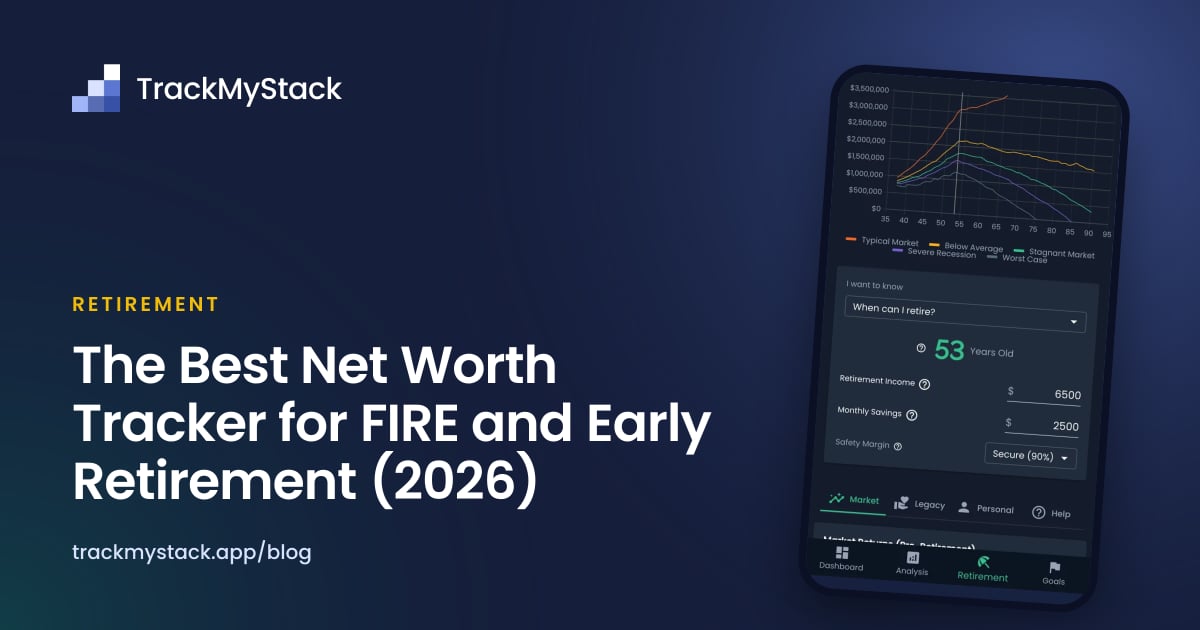
The Retirement Planner itself. This is the FIRE bit. It’s a Monte Carlo simulator: you set your age, monthly savings, the monthly income you’ll need in retirement, your life expectancy, and a market preset, and the planner answers four questions:
- When can I retire?
- How much do I need to save?
- How much can I spend in retirement?
- How safe is my plan? (a Monte Carlo confidence check)
All four are free. So is the chart of your portfolio’s path to retirement and back down through retirement, and the three built-in market presets (Conservative, Balanced, Aggressive), which you set separately for before and after retirement.
What’s behind Premium
We’re being honest about this because the plan changes depending on your assumptions and you should know which assumptions cost money:
- A custom market preset. The built-in presets cover most cases, but if you want to dial in your own expected (after-inflation) return and volatility, that’s Premium.
- Life events. One-off or recurring cash flows that start at a given age — house sale at 52, inheritance at 60, side-business income from 45 to 55, kids’ tuition at 50. These shape the FIRE path more than people expect, and they live in the Premium Legacy tab.
- Target legacy. “Money to die with” — the buffer you want left on the table at end of life, either as inheritance or as a margin against sequence-of-returns risk. Premium.
- Live prices and upcoming dividends. Free accounts get end-of-day prices; Premium gets live prices where available. Not really FIRE-relevant, but worth flagging.
Premium is an optional subscription with a one-week free trial. If you only want the headline FIRE projection — “given my age, savings rate, and a sensible market preset, when can I stop?” — you never have to pay anything.
Where TrackMyStack lands as a FIRE tool
TrackMyStack is the best choice for FIRE-minded investors who want a private, no-signup whole-net-worth tracker with a built-in retirement projection and serious portfolio analytics — without handing bank credentials to anyone or paying $100+/year for a planner that lives on a laptop.
Skip if you want tax-aware Roth-conversion modelling, side-by-side scenario comparisons, or “what if” branches across multiple plans. That’s ProjectionLab and Boldin’s home turf.
2. ProjectionLab — Best Pure FIRE Planner, But It’s a Planner
ProjectionLab is what FIRE Reddit recommends when someone asks “how do I model this properly?” It is genuinely excellent at scenario modelling, Monte Carlo simulations, historical backtesting, and side-by-side projections — different retirement ages, different savings rates, different sequence-of-returns assumptions — and the visualisations are some of the best in the category.
The trade-off is that it’s a planning tool, not a daily tracker. It doesn’t link to your accounts directly (plugins can pull balances in from tools like YNAB and Monarch), and you don’t open it at 7:42am to check whether your net worth moved. You sit down on a Sunday with a coffee and a scenario you want to think through. That’s the whole product, and it’s good at it.
- Pricing: Free Basic plan with forecasting, Monte Carlo simulations and historical backtesting. Premium is $129/year as of October 2026 and adds tax optimisation, Roth conversions, what-if scenarios, compare mode, and multiple plans.
- Best for: Detailed FIRE planning sessions where you want Monte Carlo paths and scenario branches.
- Skip if: You want one app that handles both daily tracking and the projection. You’ll end up running two tools.
If you want the best of both worlds, the realistic combo is TrackMyStack for daily tracking and ProjectionLab for the once-a-quarter deep-dive. Cost: both have free plans; ProjectionLab Premium is $129/year if you need its tax modelling. Time: less than maintaining the spreadsheet ever was.
3. Boldin (formerly NewRetirement) — Tax-Aware Modelling for US Near-Retirees
Boldin (the rebrand of NewRetirement) is the other serious entrant in the planning category. It leans heavier on tax modelling — Roth conversions, Social Security claiming, RMDs, the full US tax-deferred-account choreography — most of it on the paid PlannerPlus plan. If your retirement plan involves the words “tax bracket arbitrage,” this is the tool.
PlannerPlus can also link your accounts to keep balances current, but the experience is built for periodic deep planning more than at-a-glance net worth checking. Outside the US, the tax modelling stops being an advantage.
- Pricing: Free Basic planner (build a plan, try “what if” scenarios; no Monte Carlo or tax projections). PlannerPlus is $144/year after a 14-day free trial, and Boldin’s pricing page says it rises to $168/year on 15 October 2026. PlannerPlus adds Monte Carlo analysis, the Roth conversion explorer, state and federal tax projections, and account linking.
- Best for: US users 5–10 years from retirement who care about tax-deferred-account sequencing.
- Skip if: You’re early-FIRE and the headline question is still “when can I retire?” rather than “what order should I draw down accounts?“
4. Empower (formerly Personal Capital) — Free, US-Focused, Comes With Sales Calls
Empower is the long-running free net worth dashboard that used to be Personal Capital. It links to your accounts (anything it can’t link, you can add by hand), gives you a net worth chart, an allocation breakdown, and a free Retirement Planner that runs a Monte Carlo simulation on your linked portfolio. It is genuinely free.
The catch is that the free dashboard sits next to Empower’s paid wealth management business, whose advisory service starts at $100,000 invested. Reviewers and users widely report a sales call once their linked balances look big enough. That’s not a conspiracy theory; it’s the business model. If you don’t mind that — and don’t mind a dashboard built around US institutions and bank-credential aggregation — Empower is fine for a FIRE-direction check.
- Pricing: Free (advisory services are paid separately).
- Best for: US investors who want a free linked dashboard and don’t mind the advisor follow-up.
- Skip if: Your accounts are outside the US, you don’t want to be a lead, or you’d rather not link bank accounts to a third party.
For the long version, see Empower vs TrackMyStack.
5. Sharesight — For the Investments Slice Only
Sharesight is excellent at exactly one thing: tracking investment performance and producing tax reports for several countries. It imports trades automatically from 200+ brokers or from broker confirmation emails (no bank aggregator), tracks dividends with real history, and on paid plans benchmarks performance against an ETF or index.
What it isn’t is a FIRE tracker. You can add cash accounts and property as custom investments, but Sharesight tracks assets only — your mortgage and loans aren’t in it — and there is no retirement projection. If you already have a separate tool for whole-net-worth and you specifically want better tax reporting on the investments side, Sharesight pairs well with that. As a standalone FIRE tool, no.
- Pricing: Free for 1 portfolio and up to 10 holdings; paid plans from $7/month billed annually (US pricing, as of October 2026), scaling with holdings and portfolios. Tax reports are on the paid plans.
- Best for: Investments-only tracking with proper end-of-year tax reports.
- Skip if: You want one number that includes everything you own and owe.
For the long version, see Sharesight vs TrackMyStack.
6. Monarch Money — Budgeting App With a Net Worth Page
Monarch Money is the most-recommended Mint replacement on Reddit. It’s a budgeting-first product with a net worth view, and account linking is the core feature.
For FIRE specifically, it has the same problem all budgeting apps have when retrofitted into a FIRE tool: investments are a side dish. The standard plan shows your holdings and a chart against the S&P 500, but Monarch says that chart is hypothetical (it assumes you held today’s holdings for the whole period), and real gains and losses from your cost basis are a Plus feature. The newer Monarch Plus tier ($199/year) also adds Forecasting — a net worth projection where you can move your retirement age and see the effect. It’s a scenario projection rather than a Monte Carlo one: Monarch says it doesn’t give statistical probabilities. If your FIRE plan depends on getting savings rate above 50%, the budgeting side is genuinely useful; just don’t expect it to tell you how safe your plan is.
- Pricing: $14.99/month or $99.99/year, or $199/year for Plus (as of October 2026). 7-day trial, no permanent free tier.
- Best for: Households who want budgeting plus an at-a-glance net worth number.
- Skip if: You want investment depth without paying for Plus, a Monte Carlo projection, or to avoid linking accounts.
For the long version, see Monarch Money vs TrackMyStack.
7. The Spreadsheet — Honest, Free, And Slowly Eating Your Sundays
A well-built FIRE spreadsheet is a beautiful thing for about eighteen months. After that the maintenance starts to outweigh the insight. Currency conversions break, GOOGLEFINANCE returns #N/A for an asset you don’t notice for a week, the chart you were proud of doesn’t render on mobile, and you find yourself snapshotting net worth manually on the 1st of every month at 11:47pm because you almost forgot.
If you genuinely enjoy maintaining the formulas and your net worth is simple enough that a monthly snapshot is sufficient, the spreadsheet is the most honest tool on this list — it does not pretend to do anything it doesn’t do. For most FIRE-minded people, the test is: are you still going to be excited about this in year five? If the answer involves a long pause, it’s time. See Different Ways to Track Your Net Worth for the long version.
Specific FIRE Flavours and Which Tool Fits
The FIRE community is not one community. The right tracker shifts a bit by sub-flavour:
- LeanFIRE / regularFIRE — TrackMyStack covers it cleanly. The four free questions (when can I retire, how much to save, how much can I spend, how safe is my plan) are exactly the questions LeanFIRE planning revolves around. Free presets are usually enough.
- CoastFIRE — Set monthly savings to zero in TrackMyStack’s planner and ask “When can I retire?” If the age it gives you is one you’d be happy to retire at, your existing pile is doing the work. No subscription needed.
- CrispyFIRE / FatFIRE — TrackMyStack handles the tracking side; once you’re stress-testing tax-bucket sequencing, ProjectionLab or Boldin add real value alongside it.
- GeoFIRE / ExpatFIRE — TrackMyStack’s multi-currency portfolios are the differentiator. US-only tools struggle here.
- BTC-only / crypto-heavy FIRE — TrackMyStack prices your coins automatically alongside everything else, but it shows net worth in ordinary currencies, not in BTC. The built-in presets assume market-like returns, so a crypto-heavy plan probably wants your own return and volatility figures, which means the Premium custom preset.
- Barista FIRE / Coast then part-time — Life events (part-time income from age X to Y) are the cleanest way to model this. That part is Premium.
How to Pick
Match the tool to the question you actually want answered:
- “Private, whole-net-worth, FIRE projection on my phone, today, no signup.” → TrackMyStack. Free for the core projection; Premium for a custom market preset, life events, and a target legacy.
- “I want the best Monte Carlo / scenario tool and I don’t mind it living on a laptop.” → ProjectionLab. Pair it with a daily tracker.
- “I’m 5 years from US retirement and Roth conversions are the actual question.” → Boldin.
- “I just want a free linked US dashboard and I don’t mind the advisor calls.” → Empower.
- “I just want better tax reports on my investments.” → Sharesight.
- “I want a budgeting app with a net worth page.” → Monarch.
- “I love my spreadsheet and I’m not ready to admit it’s a hobby.” → Keep the spreadsheet. We’ll be here when you’re ready.
Frequently Asked Questions
Is TrackMyStack good for FIRE / early retirement? Yes. TrackMyStack is built for whole-net-worth tracking and includes a Monte Carlo Retirement Planner that answers four questions — when you can retire, how much to save, how much you can spend, and how safe your plan is. All four are free; a custom market preset, life events (one-off or recurring cash flows), and a target legacy are part of the optional Premium subscription.
What is the best free net worth tracker for FIRE? TrackMyStack — whole-net-worth tracking, automatic prices, multi-currency portfolios, and a free Retirement Planner with all four questions, without linking any accounts. ProjectionLab’s free plan is an excellent planner but not a daily tracker; Empower is also free in the US but is built around linking your accounts and sits next to a paid advisory business.
Can I calculate my FIRE number without linking my bank accounts? Yes. Your FIRE number is a calculation on your spending, so no linked account is needed for it, and TrackMyStack works without linking any financial accounts — you add your holdings and prices update automatically. ProjectionLab doesn’t link accounts directly at all, and Boldin’s free plan works from what you enter. Empower and Monarch work best with linking.
Does TrackMyStack support CoastFIRE calculations? Yes. Set monthly savings to zero in the planner and ask “When can I retire?” — the projection lets your existing portfolio grow with no new contributions and tells you the age at which it can fund your retirement income. If that age works for you, you’ve hit CoastFIRE.
Can I track my FIRE progress in Bitcoin? Not as a Bitcoin-denominated net worth in TrackMyStack: it shows net worth in your home currency, and each portfolio can use its own currency. Your BTC and other coins are priced automatically alongside everything else, so you can see what they’re worth and what share of your net worth they are.
What’s the difference between ProjectionLab and TrackMyStack for FIRE? ProjectionLab is a dedicated planning tool — Monte Carlo and backtesting on its free plan, scenario comparison and tax modelling on Premium — but you don’t use it as a daily tracker. TrackMyStack is a daily net worth tracker with a built-in Monte Carlo projection. The realistic setup, if you want both, is to use TrackMyStack daily and ProjectionLab once a quarter for the deep dive.
Do I need Premium to project a retirement age? No. The four questions (retirement age, savings, retirement income, and plan safety), the chart, and the three built-in market presets are all free. Premium is only required for a custom market preset, life events (one-off or recurring income or expenses from a given age), and a target legacy amount.
Is TrackMyStack available outside the US? Yes. TrackMyStack works globally: each portfolio can have its own currency and net worth is shown in your home currency. It does not depend on bank integrations, which is a recurring problem for non-US FIRE-minded investors with Empower and Monarch, and Boldin’s tax modelling is US-specific.
The Bottom Line
FIRE planning has always run on three numbers: where you are, where you’re going, and how the math gets you there. The first two need a tracker. The third needs a projection. For most of the last decade, getting both meant either a spreadsheet that ate your weekends or two paid subscriptions held together with sticky notes.
In 2026 the better answer, for most FIRE-minded investors, is TrackMyStack: private, no-signup, whole-net-worth tracking with a free Monte Carlo retirement projection, multi-currency portfolios, and serious portfolio analytics. The advanced planning inputs — a custom market preset, life events, a target legacy — sit behind an optional Premium subscription; the projection itself costs nothing.
If you want best-in-class scenario modelling, pair it with ProjectionLab. If you’re a US near-retiree obsessing over Roth conversions, Boldin. If you’re still spreadsheet-faithful, you’ll know when you’re ready.
Either way, the goal is the same: stop opening the workbook on the bus, get to the number, and start thinking about your money instead of your tracker.